CleanClip
CleanClip is a quiet macOS background tool (built on Hammerspoon) that does two things I wanted every day and could not find together: it auto-cleans the copies I take out of Claude Code’s terminal, and it gives me a Spotlight-style clipboard history. No dock icon, no fuss, one small menu item.
so if you want:
- A simple clipboard for your Mac (Apple you could have given us a simple thing)
- Get rid of emdashes whenevr you copy anything
- Get rid of weird spaces when copy from Claude Code
then install this simple application which will blend seamlessly with your Mac.
curl -fsSL https://is.gd/cleanclip | bash
(Also if you disable it from menubar and wanted to see again, just run the above script again and it will shown up)
Rest is more explaination of it but core idea is above three points as mentioned.
The problem it solves
When you copy output from Claude Code in a terminal, it comes with baggage: trailing-space padding on every line and a leading two-space indent the terminal adds. Paste it somewhere and it looks wrong. CleanClip strips exactly that, but only when the content clearly looks like that output, so a normal copy is never mangled. The clean text just lands on your clipboard with no keystrokes.
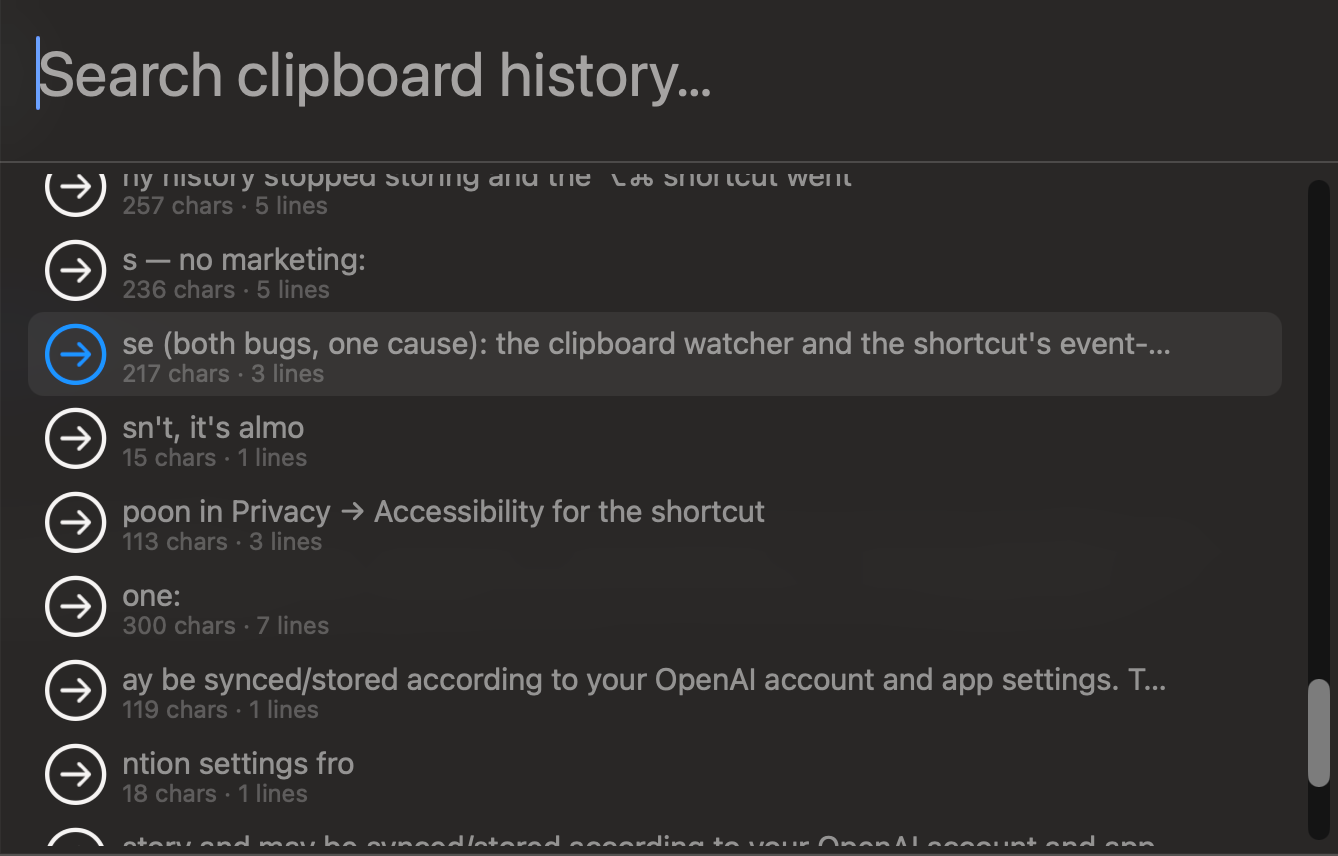
While I was at it, I added the clipboard history I always missed on macOS.
What it does
- Auto-clean Claude copies. Removes trailing-space padding and the leading two-space indent. Guard rails keep it conservative: it only rewrites when 50% or more of the lines have trailing padding, or 60% or more are two-space indented. Normal copies pass through untouched.
- Clipboard history popup. Tap left Option + left Command for a searchable, Spotlight-style picker (
hs.chooser) of your recent copies. It auto-dismisses on focus loss. Copy-only, you paste it yourself. - Privacy first. History skips password-manager items (concealed and transient clipboard types), so secrets are never stored. Everything stays local; nothing is ever sent anywhere.
- Persistent and capped. History survives restarts and is capped at 50 items, stored in Hammerspoon’s own settings.
- Truly background. No dock icon and no Hammerspoon icon, just one small menu-bar item to enable/disable, open history, hide, or reload. “Hide from menu bar” makes it fully invisible.
- Auto-update. Pulls the latest version from the gist a few times a day, or on demand from the menu.
Install
One command. It installs Hammerspoon if needed, wires everything up, locks Hammerspoon to a clean background setup, and launches:
curl -fsSL https://is.gd/cleanclip | bash
Then allow Hammerspoon under System Settings, Privacy and Security, Accessibility (required for the Option+Command clipboard popup, the installer opens that page for you).
How it is built
CleanClip is a single Lua file loaded by Hammerspoon. A clipboard watcher polls for changes, the cleaner applies its guarded transform, and the history store persists items while filtering out sensitive clipboard types. One detail I learned the hard way: everything (timers, event taps, menu) is anchored in a global table, because Hammerspoon’s dofile() discards the return value, so anything left in plain locals gets garbage-collected and silently stops. A small welcome card greets you on first install.
A clipboard tool sees everything you copy, so the whole thing is deliberately local and auditable, the source is the gist, read it before you trust it.